> ## Documentation Index
> Fetch the complete documentation index at: https://help.trickle.so/llms.txt
> Use this file to discover all available pages before exploring further.
# Set up Domains
> Learn how to set up custom domains in Trickle. Add CNAME records, validate your setup, or use a .trickle.host domain to connect projects. Manage domains and view analytics in one dashboard.
If you have any questions or need further assistance, don’t hesitate to [join our Discord](https://discord.com/invite/AD44k7hVSY) community. We’re always there to connect with you and offer support!
## Set up custom domains
In **Trickle Pro** and **Premium** subscriptions (see details [here](https://trickle.so/#pricing)), you can connect your own domain to a project or set up a custom .[trickle.host](http://trickle.host) domain. Follow these steps to add and manage **custom domains**:
Open the project sidebar and click the **Workspace settings** icon next to your username.
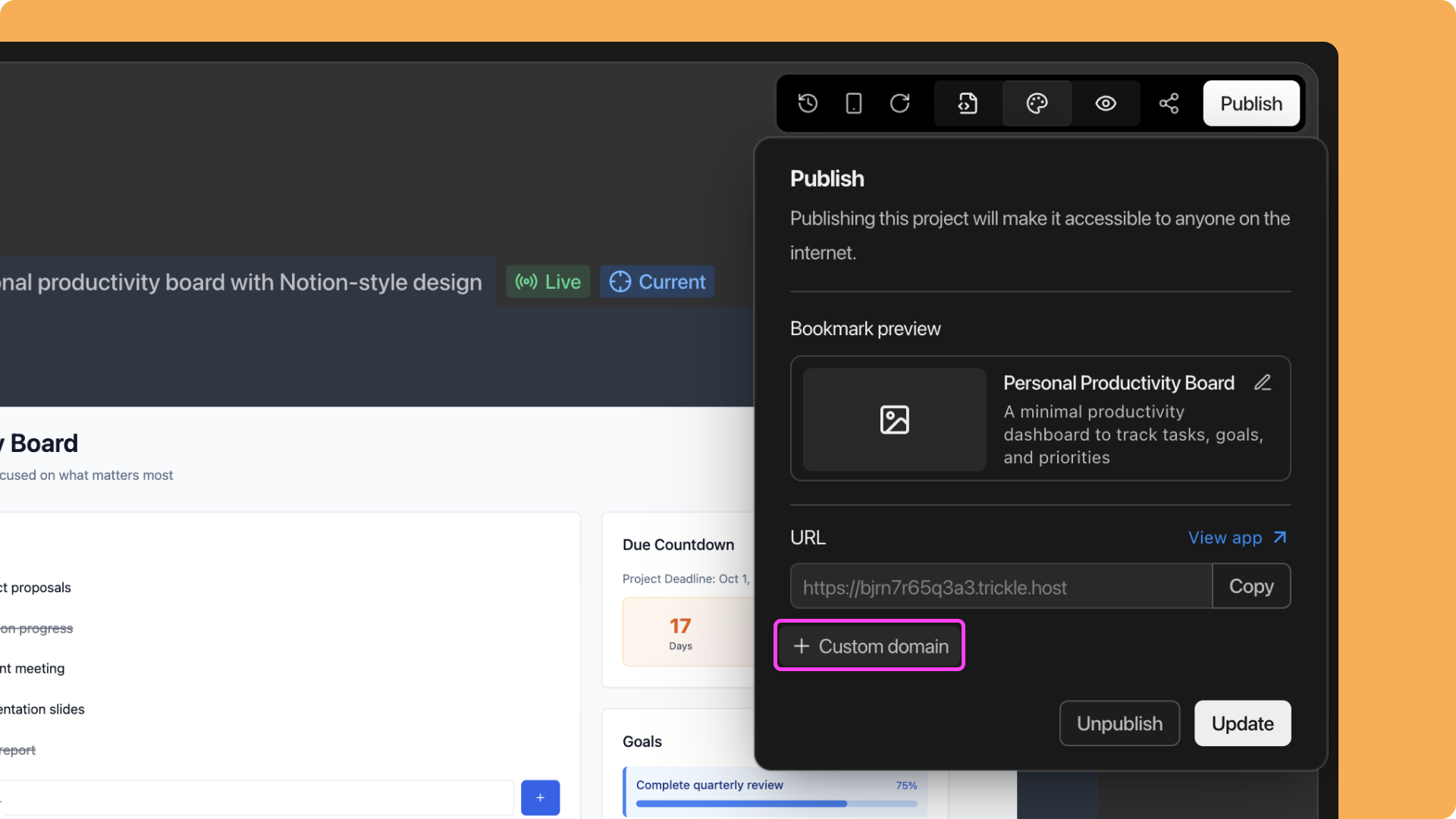
 Alternatively, go to a specific project, click the **Publish** button, then select **+ Custom domain**.
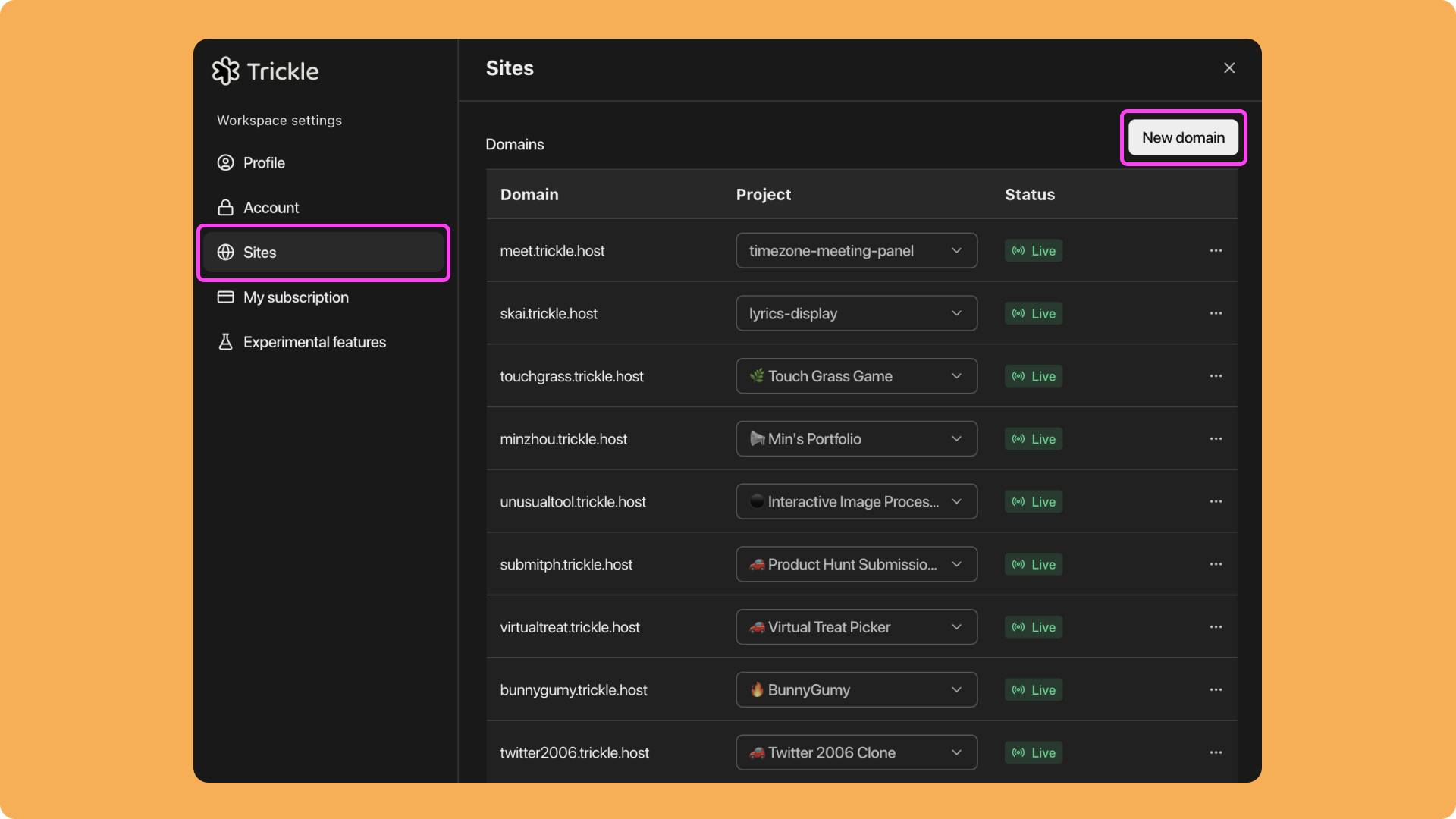
 Click **Sites**, then select **New domain**.
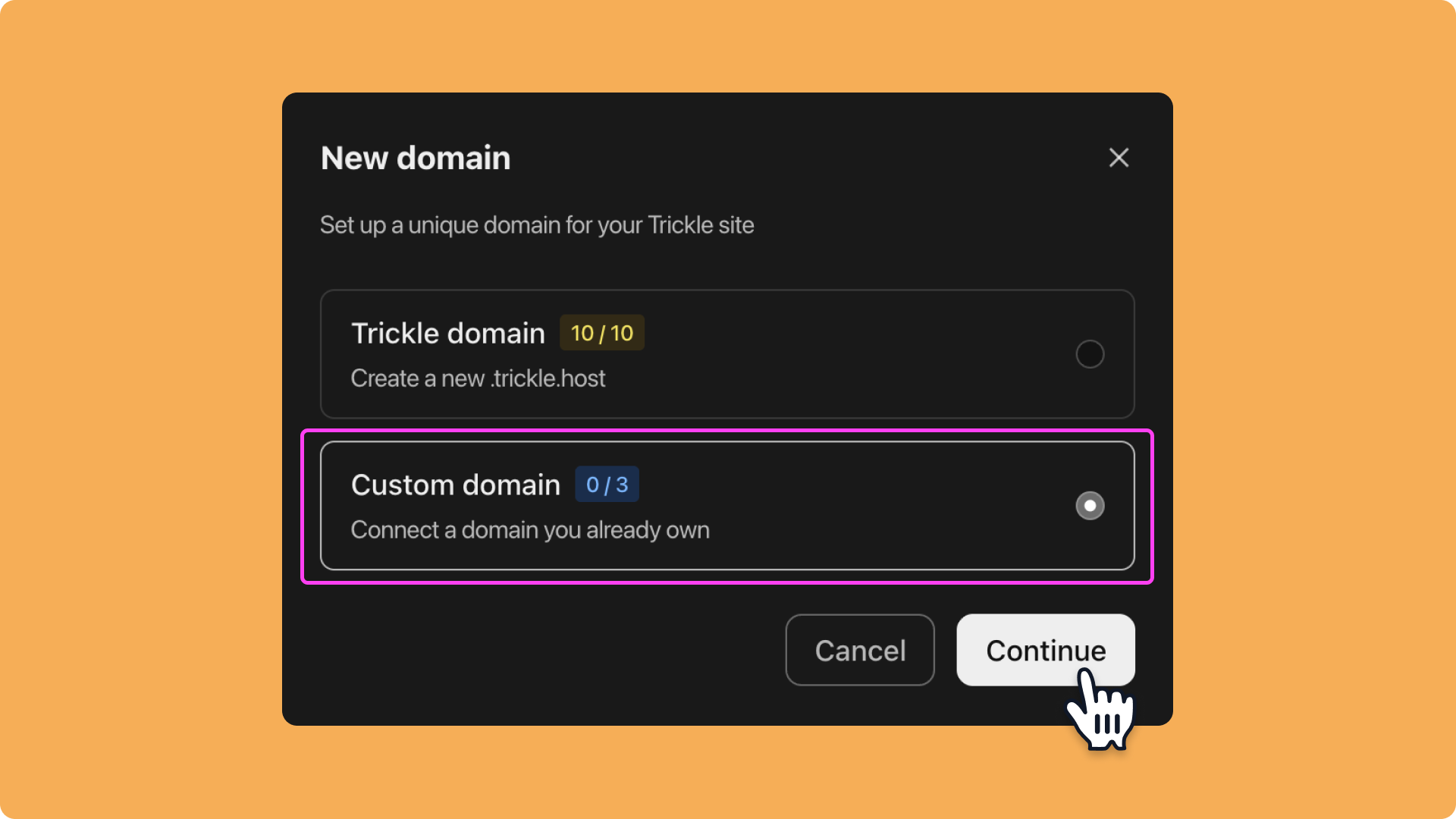
 Choose **Custom Domain** and click **Continue**.
 Enter a subdomain and click **Continue**. (Note: only subdomains are supported.)
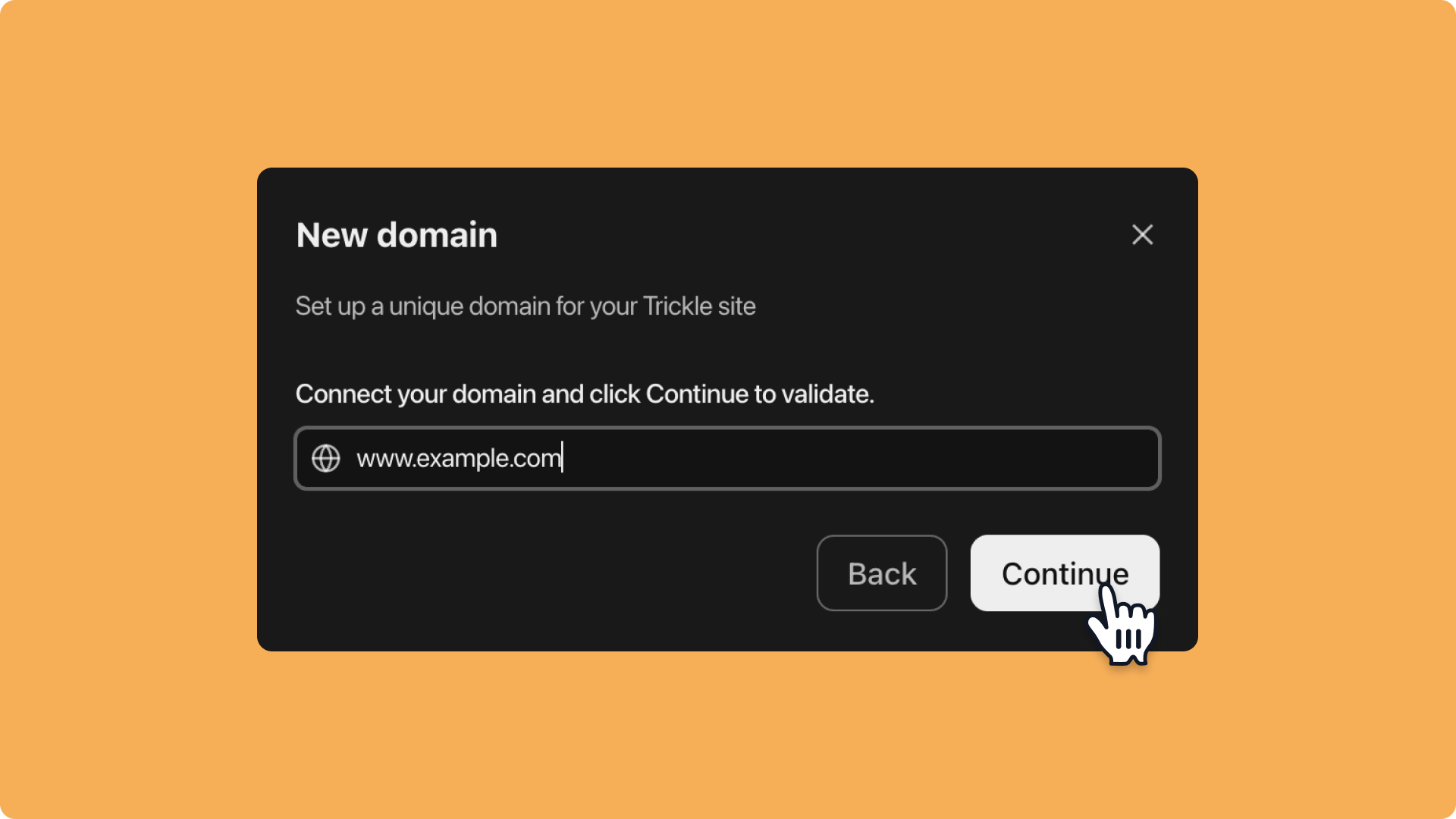 Go to your domain registrar and add a **CNAME record** pointing to the provided address.
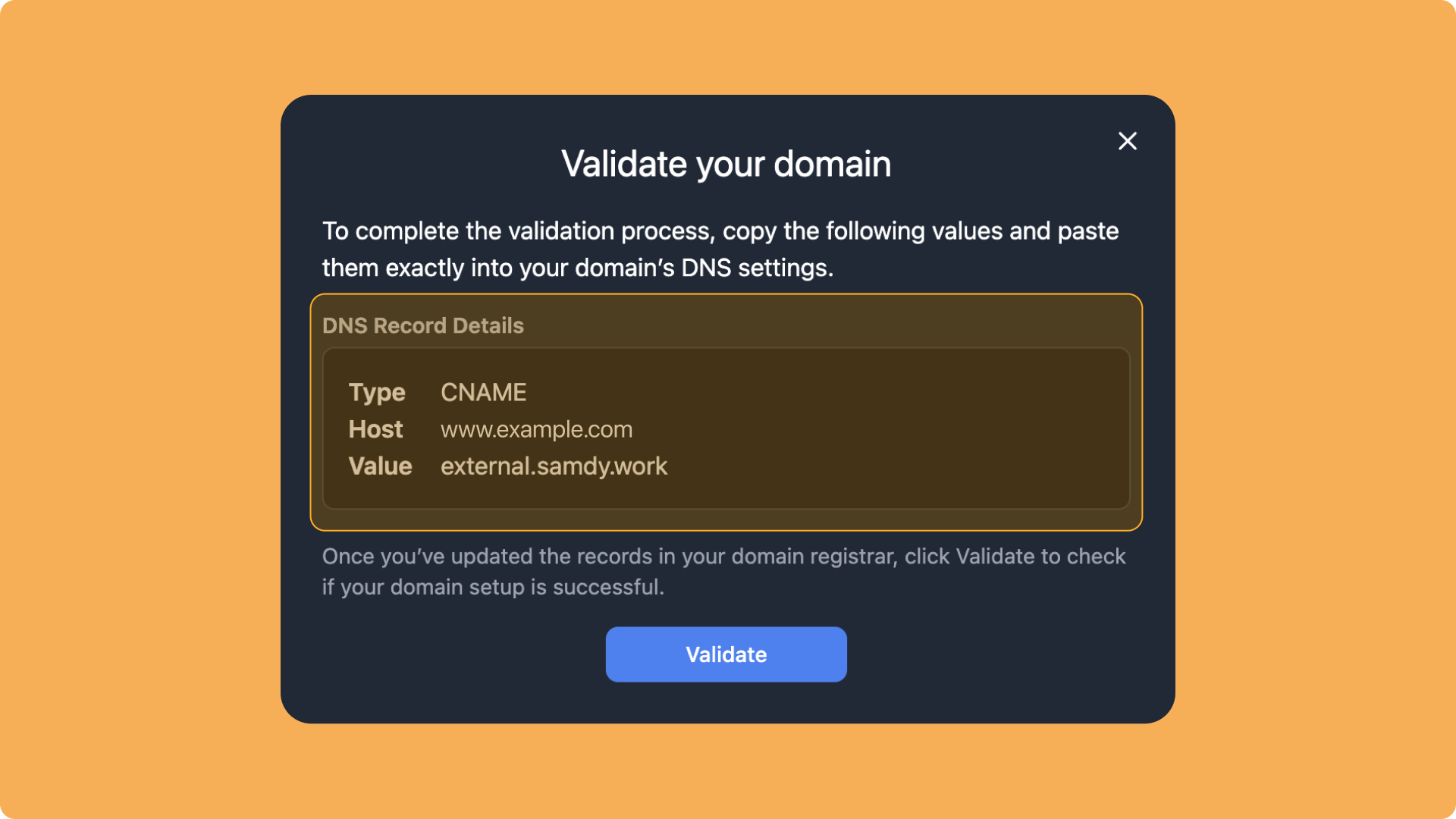 If you need help, see these guides for adding CNAME records with different registrars:
* [GoDaddy](https://www.godaddy.com/en-sg/help/add-a-cname-record-19236)
* [Namecheap](https://www.namecheap.com/support/knowledgebase/article.aspx/9646/2237/how-to-create-a-cname-record-for-your-domain/)
* [Squarespace](https://support.squarespace.com/hc/en-us/articles/360002101888-Adding-DNS-records-to-your-domain)
* [Wix](https://support.wix.com/en/article/adding-or-updating-cname-records-in-your-wix-account)
After adding the **CNAME record**, click **Validate**:
* If validation succeeds, the project will be bound to the custom domain automatically.
* If validation fails:
* Return to your domain registrar to check the CNAME configuration.
* If the configuration is correct, wait up to 48 hours before trying again.
* If the issue persists, contact Trickle Support: [support@trickle.so](mailto:support@trickle.so).
## **Set up **[**trickle.host**](http://trickle.host)** Domain**
You can also set up a custom .[trickle.host](http://trickle.host) domain for your project. Steps:
Open the project sidebar and click the **Workspace settings** icon next to your username. Alternatively, go to a specific project, click the **Publish** button, then select **+ Custom domain**.
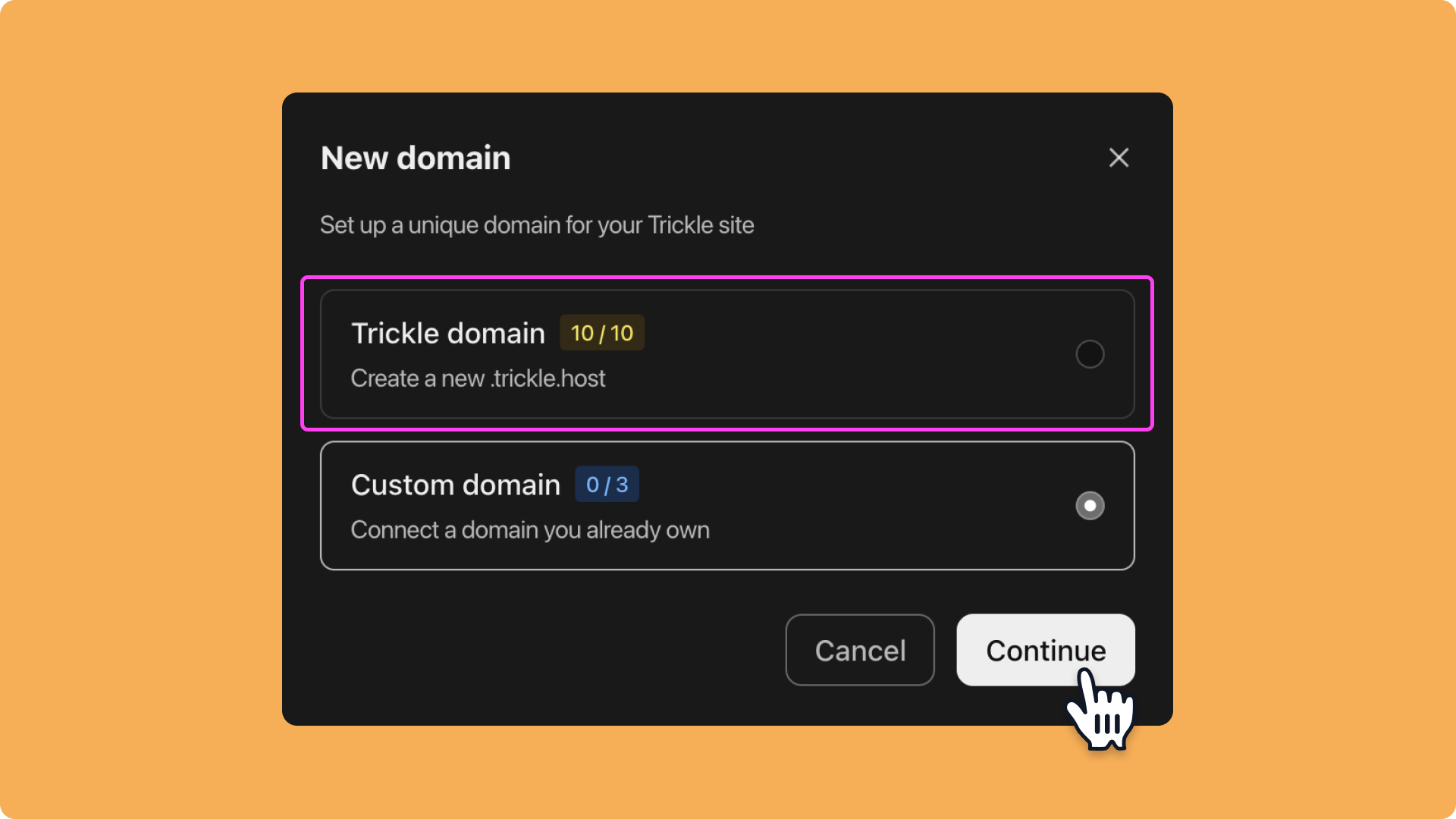
Click **New Domain**, choose **Trickle domain**, then click **Continue**.
If you need help, see these guides for adding CNAME records with different registrars:
* [GoDaddy](https://www.godaddy.com/en-sg/help/add-a-cname-record-19236)
* [Namecheap](https://www.namecheap.com/support/knowledgebase/article.aspx/9646/2237/how-to-create-a-cname-record-for-your-domain/)
* [Squarespace](https://support.squarespace.com/hc/en-us/articles/360002101888-Adding-DNS-records-to-your-domain)
* [Wix](https://support.wix.com/en/article/adding-or-updating-cname-records-in-your-wix-account)
After adding the **CNAME record**, click **Validate**:
* If validation succeeds, the project will be bound to the custom domain automatically.
* If validation fails:
* Return to your domain registrar to check the CNAME configuration.
* If the configuration is correct, wait up to 48 hours before trying again.
* If the issue persists, contact Trickle Support: [support@trickle.so](mailto:support@trickle.so).
## **Set up **[**trickle.host**](http://trickle.host)** Domain**
You can also set up a custom .[trickle.host](http://trickle.host) domain for your project. Steps:
Open the project sidebar and click the **Workspace settings** icon next to your username. Alternatively, go to a specific project, click the **Publish** button, then select **+ Custom domain**.
Click **New Domain**, choose **Trickle domain**, then click **Continue**.
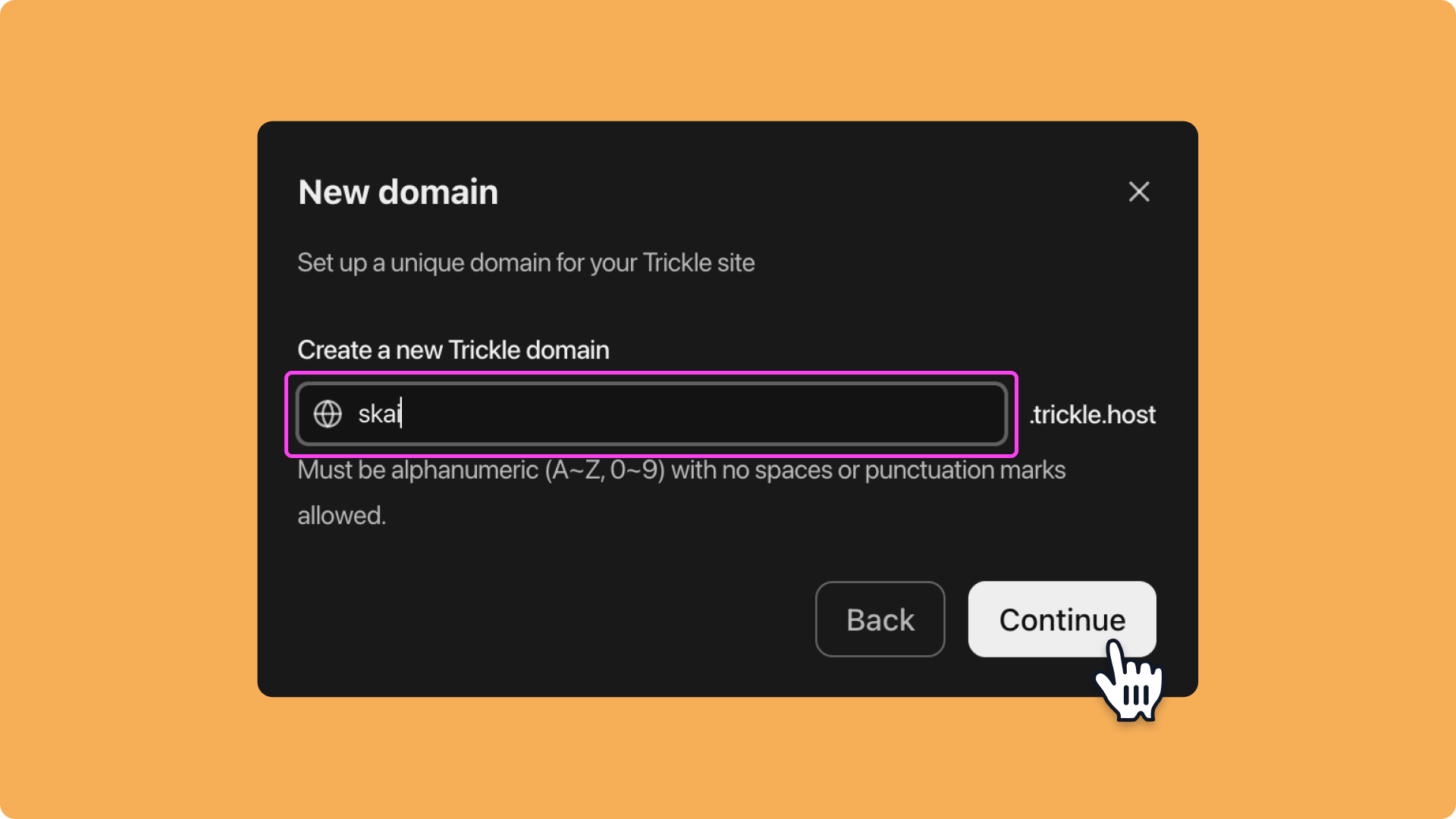
 Enter a subdomain (only English letters and numbers are supported; no special characters or spaces).
 In the **Project** dropdown menu, select a deployed project to bind it to the domain.
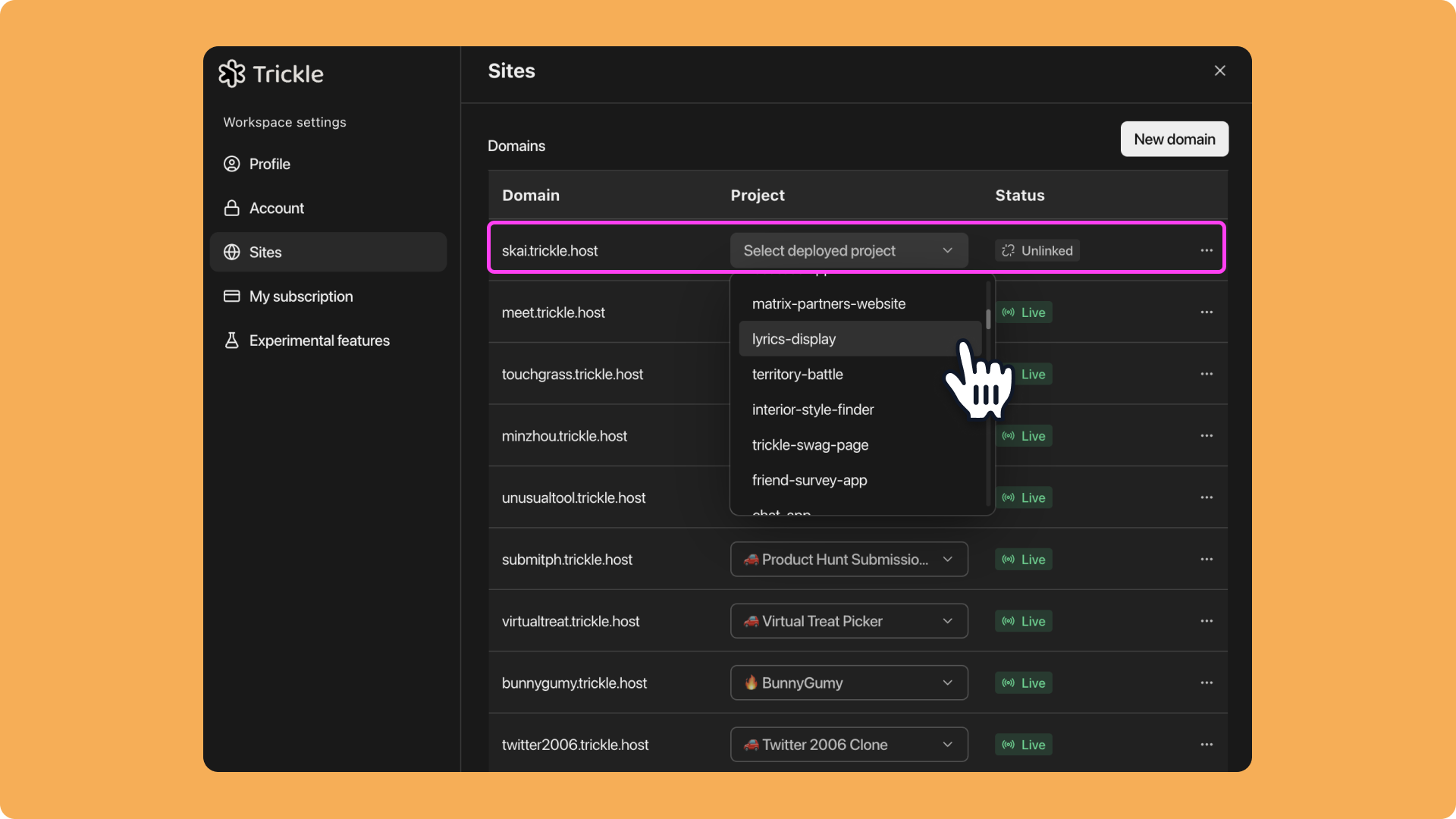 You can disconnect or delete the domain at any time from the same interface.
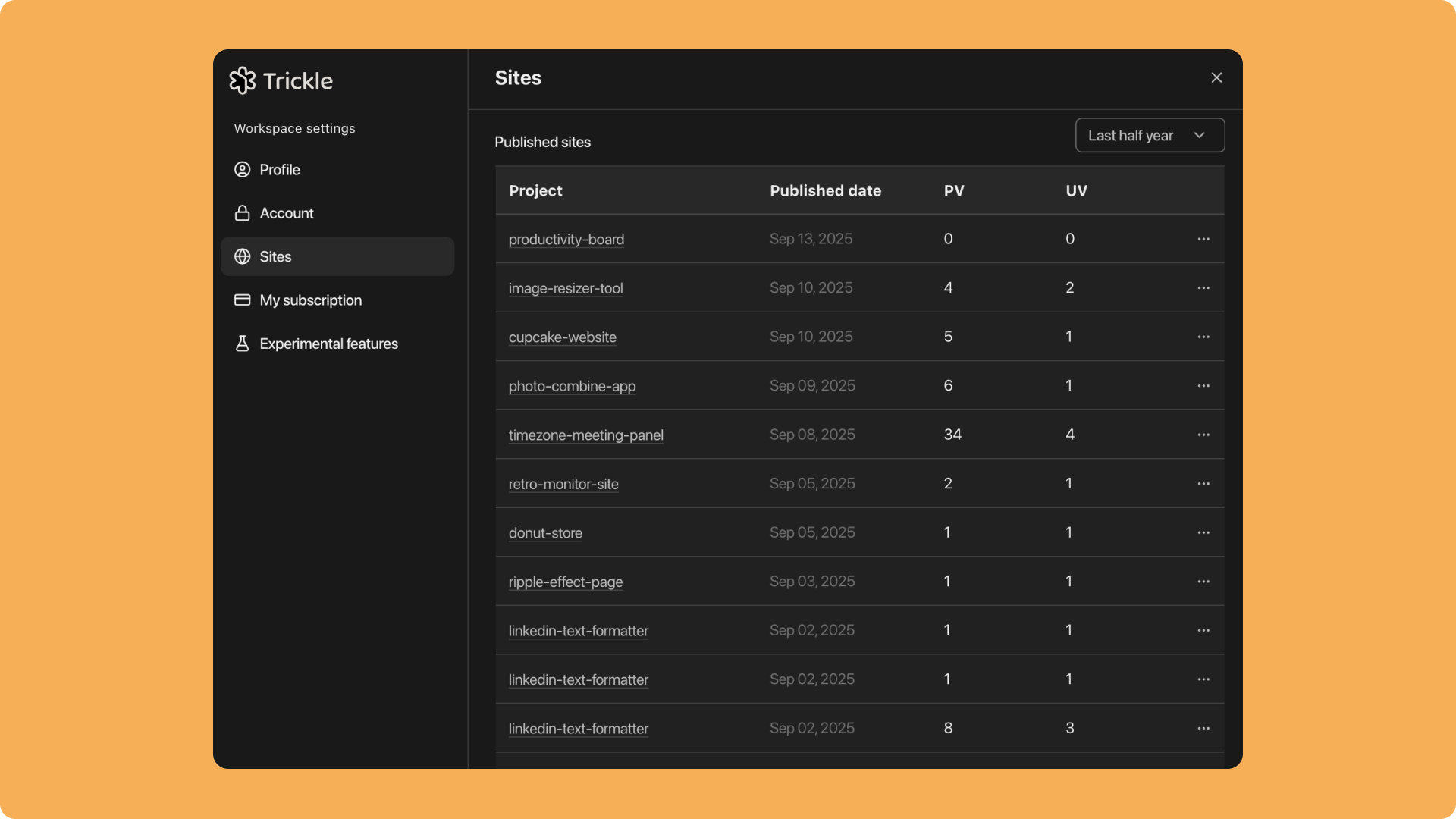
The **Analytics Dashboard** is integrated into the **Sites** page (visible via dropdown). Here, you can view and manage all project data in one place, making domain management and monitoring more efficient and intuitive.
You can disconnect or delete the domain at any time from the same interface.
The **Analytics Dashboard** is integrated into the **Sites** page (visible via dropdown). Here, you can view and manage all project data in one place, making domain management and monitoring more efficient and intuitive.